vitepress-theme-bluearchive

BA 主题博客,基于 VitePress,绝赞画饼中
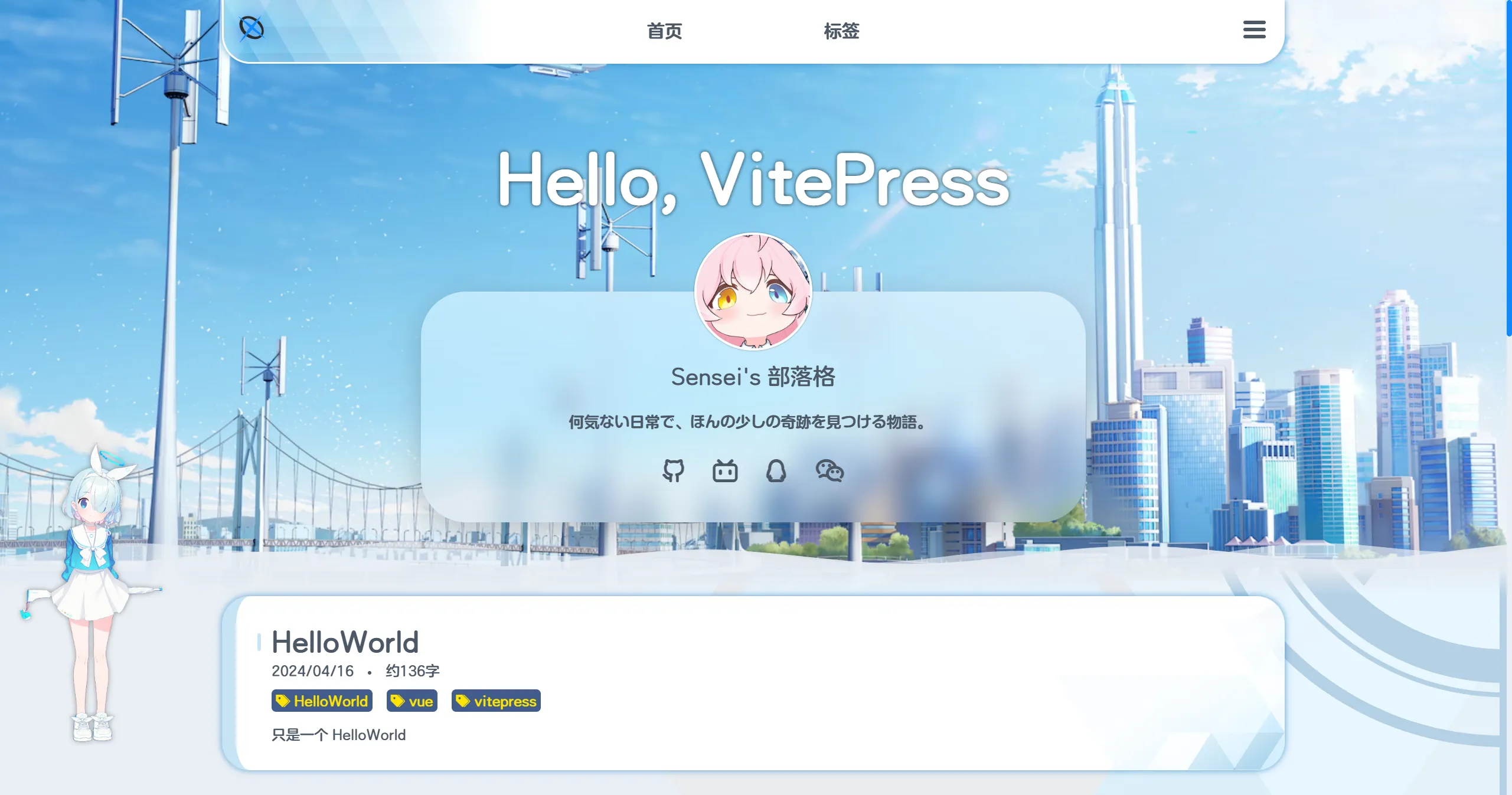
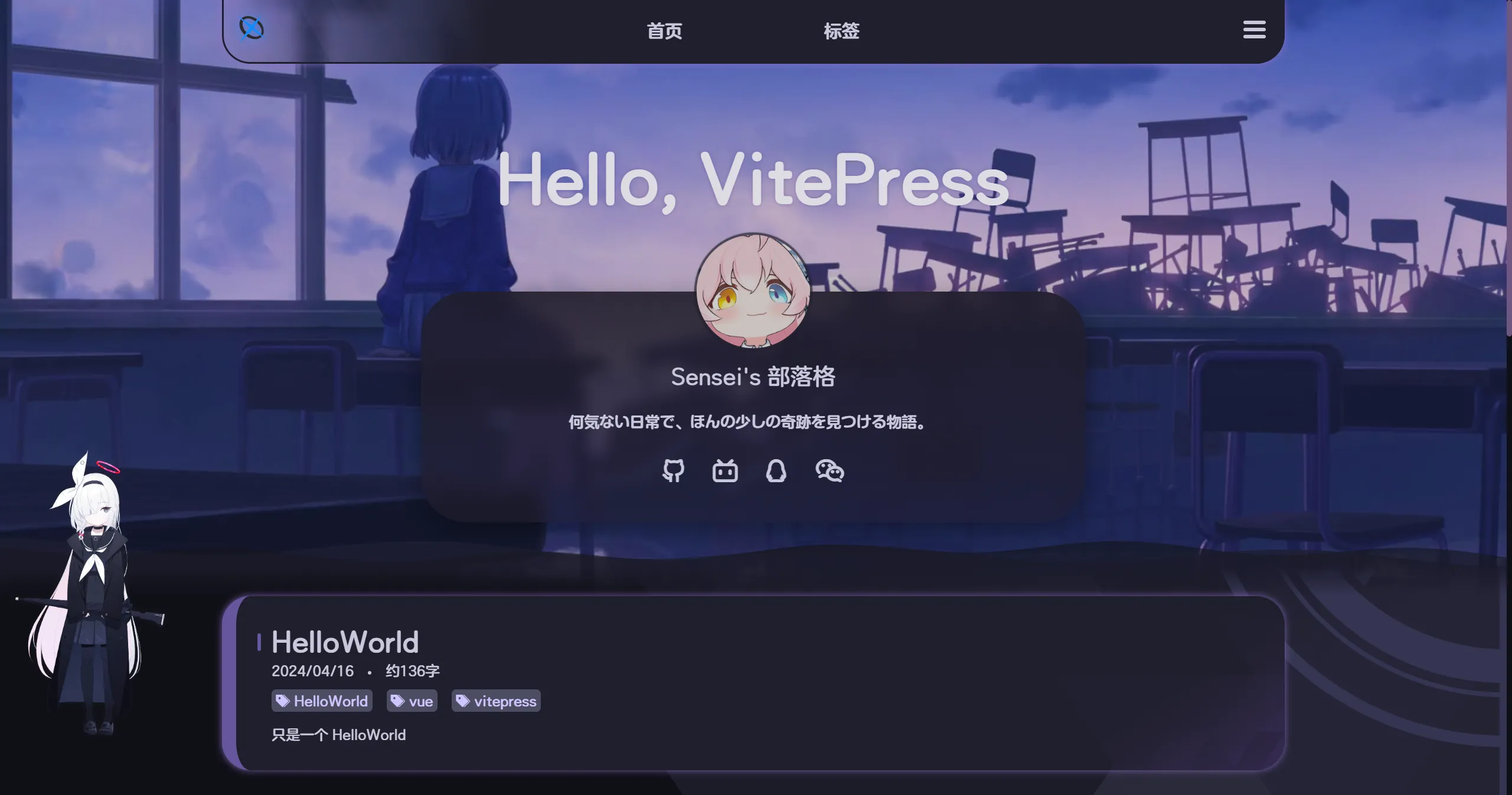
功能
- [x] 首页横幅
- [x] 文章列表
- [x] 标签页面
- [x] 搜索
- [x] gitalk 评论
- [x] 代码高亮
- [x] 手机端适配
- [x] latex 公式
- [x] 点击烟花效果 🎉
- [x] 底栏
- [x] 优化 404
- [x] Arona 的 spine 模型
- [x] 首屏加载动画
- [x] 夜间模式 @naahi-i
画饼
- [ ] 重构排版
- [ ] RSS
- [ ] 为 Arona/Plana 添加更多交互
- [x] 眼睛追踪
- [x] 点击语音
- [ ] 监听复制事件
- [ ] fakeGPT
主题配置
音乐 首页背景 头像在.vitepress/theme/assets/banner 可单独设置暗色模式首页背景,命名为banner_dark.webp
配置文件在.vitepress/config.mts
ts
export default defineConfigWithTheme<ThemeConfig>({
  //...

  // 生成站点地图
  sitemap: {
    hostname: 'https://vitepress-theme-bluearchive.vercel.app', //替换为你自己的域名
  },

  // 站点标题配置
  title: "Sensei's 部落格",
  description: "Sensei's 部落格",

  themeConfig: {
    //banner区配置
    videoBanner: false, //是否显示视频背景
    name: "Sensei's 部落格", //首页标题
    welcomeText: 'Hello, VitePress', //首页欢迎语
    motto: ['和你的日常,就是奇迹', '何気ない日常で、ほんの少しの奇跡を見つける物語。'], //首页motto
    social: [ //社交链接配置(netease_music,coolapk,reddit)
      { icon: 'github', url: 'https://github.com/' },
      { icon: 'bilibili', url: 'https://www.bilibili.com/' },
      { icon: 'qq', url: 'https://im.qq.com/index/' },
      { icon: 'wechat', url: 'https://weixin.qq.com/' },
    ],

    //spine语音配置,可选zh/jp
    spineVoiceLang: 'jp',

    //footer配置
    footerName: 'Sensei',
    poweredList: [
      { name: 'VitePress', url: 'https://github.com/vuejs/vitepress' },
      { name: 'GitHub Pages', url: 'https://docs.github.com/zh/pages' },
    ],

    //gitalk配置
    clientID: 'YourClientID',
    clientSecret: 'YourClientSecret',
    repo: 'YourRepoName',
    owner: 'YourGitHubName',
    admin: ['YourGitHubName'],
  }
}),文章配置
md
---
title: 标题
date: 日期
tags: [标签1, 标签2]
pinned: true 文章置顶,默认false
head:
  - - meta
    - name: description
      content: SEO优化描述
  - - meta
    - name: keywords
      content: SEO优化 关键词
---

文章摘要,会在文章列表中显示

---

文章主体内容快速开始
bash
# pnpm (推荐)
# 安装依赖
pnpm install
# 开发项目
pnpm run dev
# 打包项目
pnpm run build

# yarn
# yarn install
# yarn run dev
# yarn run build

# npm
# npm install
# npm run dev
# npm run build上线 GitHub Pages 并使用 GitHub Actions 自动构建
本仓库为模板仓库,你可以点击右上角绿色的Use this template按钮,快速创建基于本仓库的 GitHub Pages 仓库。
关于模板仓库,你可以点击从模板创建仓库。
关于 GitHub Pages 仓库,你可以点击GitHub Pages 快速入门。
关于 GitHub Actions,你可以点击GitHub Actions 文档。
GitHub Actions 相关配置
在项目的 .github/workflows 目录中创建一个名为 deploy.yml 的文件,其中包含这样的内容:
yml
# 构建 VitePress 站点并将其部署到 GitHub Pages 的示例工作流程
#
name: Deploy VitePress site to Pages

on:
  # 在针对 `main` 分支的推送上运行。如果你
  # 使用 `master` 分支作为默认分支,请将其更改为 `master`
  push:
    branches: [main]

  # 允许你从 Actions 选项卡手动运行此工作流程
  workflow_dispatch:

# 设置 GITHUB_TOKEN 的权限,以允许部署到 GitHub Pages
permissions:
  contents: read
  pages: write
  id-token: write

# 只允许同时进行一次部署,跳过正在运行和最新队列之间的运行队列
# 但是,不要取消正在进行的运行,因为我们希望允许这些生产部署完成
concurrency:
  group: pages
  cancel-in-progress: false

jobs:
  # 构建工作
  build:
    runs-on: ubuntu-latest
    steps:
      - name: Checkout
        uses: actions/checkout@v4
        with:
          fetch-depth: 0 # 如果未启用 lastUpdated,则不需要
      - uses: pnpm/action-setup@v3 # 如果使用 pnpm,请取消注释
        with:
          version: 9
      # - uses: oven-sh/setup-bun@v1 # 如果使用 Bun,请取消注释
      - name: Setup Node
        uses: actions/setup-node@v4
        with:
          node-version: 20
          cache: pnpm # 或 pnpm / yarn
      - name: Setup Pages
        uses: actions/configure-pages@v4
      - name: Install dependencies
        run: pnpm install # 或 pnpm install / yarn install / bun install
      - name: Build with VitePress
        run: pnpm run build # 或 pnpm build / yarn build / bun run build
      - name: Upload artifact
        uses: actions/upload-pages-artifact@v3
        with:
          path: .vitepress/dist

  # 部署工作
  deploy:
    environment:
      name: github-pages
      url: ${{ steps.deployment.outputs.page_url }}
    needs: build
    runs-on: ubuntu-latest
    name: Deploy
    steps:
      - name: Deploy to GitHub Pages
        id: deployment
uses: actions/deploy-pages@v4感谢
- vitepress-theme-sakura 提供参考
- vitepress X BA logo 非常好 BA logo 生成器
- Anime.js Fireworks canvas demo and hexo-theme-yun 点击烟花效果 🎉
- spine-runtimes spine 运行时
- [email protected] BA 游戏字体
